

In today’s fast-paced financial world, staying ahead of market movements and managing your investments effectively is paramount. Whether you’re a seasoned investor or just starting your journey, having reliable tools to monitor your portfolio and track potential opportunities is crucial. Enter google finance watchlist a powerful, yet often underestimated, feature within the broader Google Finance ecosystem. This comprehensive guide will delve deep into the functionalities, benefits, and strategic uses of the Google Finance Watchlist, demonstrating how it can become an indispensable asset in your financial toolkit.
What is Google Finance Watchlist?
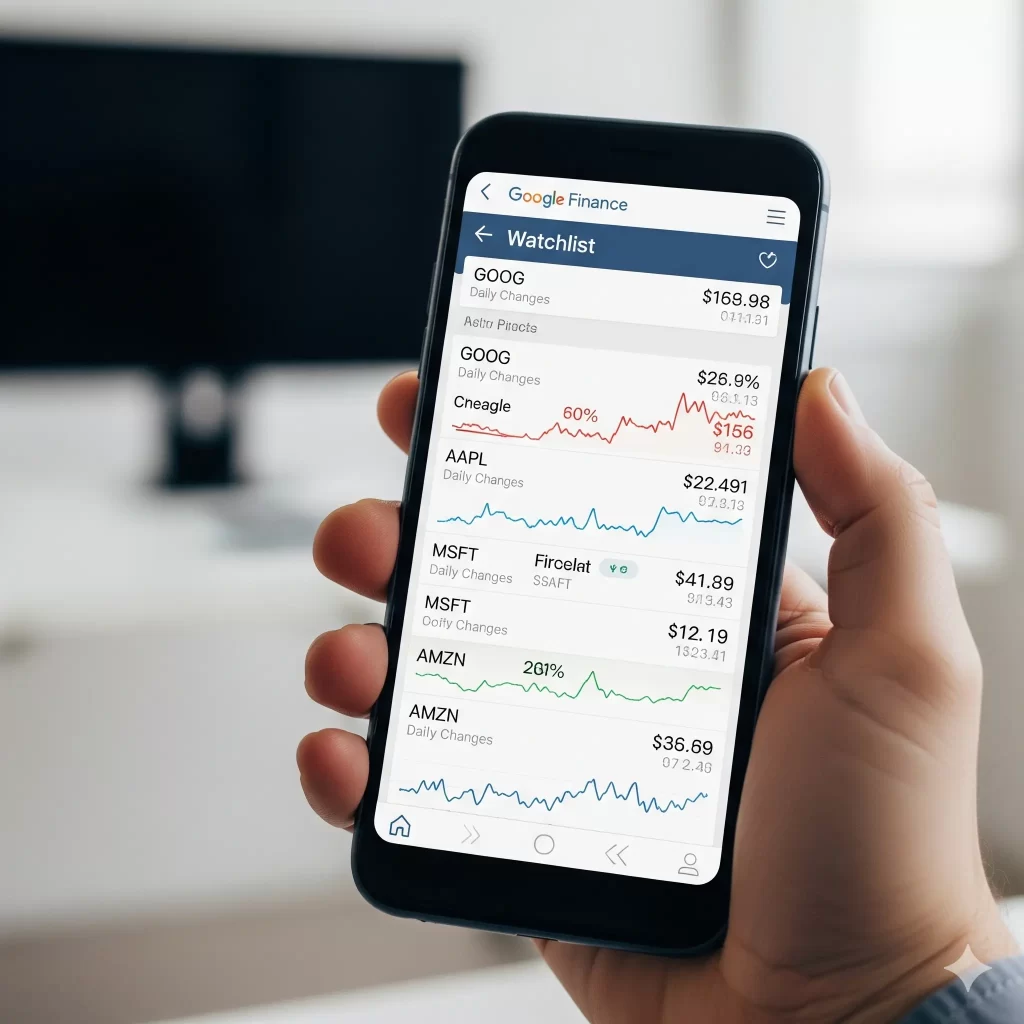
At its core, the Google Finance Watchlist is a personalized, customizable tool designed to help users monitor the performance of specific stocks, exchange-traded funds (ETFs), mutual funds, cryptocurrencies, and other securities in real-time. It acts as a centralized hub where you can aggregate all the financial instruments you’re interested in, providing a snapshot of their current status without having to search for each one individually. Think of it as your personal financial dashboard, tailored to your investment interests and research needs.
Unlike a traditional investment portfolio, which typically reflects assets you already own, a watchlist is more dynamic and forward-looking. It allows you to keep an eye on potential investments, track competitors, or simply monitor market sectors that align with your financial goals. This distinction is vital for strategic planning and identifying opportune moments for action.
Google Finance, the platform hosting the Watchlist, has evolved significantly over the years. It provides a wealth of financial data, news, and analytical tools, all accessible through a user-friendly interface. The Watchlist seamlessly integrates with these features, allowing for a holistic view of your monitored securities. This integration means that beyond just tracking prices, you can quickly access detailed company profiles, historical data, relevant news articles, and even compare performance against market benchmarks.
The Evolution of Google Finance and its Watchlist Feature
Google Finance first launched in 2006, aiming to provide a free and accessible platform for financial information. Over the years, it has undergone several redesigns and enhancements, reflecting the changing needs of investors and the broader financial landscape. The Watchlist feature has consistently remained a cornerstone of the platform, adapting to include a wider range of asset classes and more sophisticated tracking capabilities.
Initially, watchlists were primarily used for tracking traditional stocks. However, with the explosion of ETFs, cryptocurrencies, and other alternative investments, Google Finance has expanded its coverage to include these diverse assets. This evolution ensures that the Watchlist remains relevant for a broad spectrum of investors, from those focused on blue-chip stocks to those exploring emerging digital assets.
One of the most significant advantages of the Google Finance Watchlist is its seamless integration with other Google services. For instance, the GOOGLEFINANCE function in Google Sheets allows users to pull real-time and historical financial data directly into their spreadsheets, enabling advanced analysis and custom portfolio tracking. This interoperability extends the utility of the Watchlist beyond the Google Finance website, empowering users to leverage their data in more sophisticated ways.
Furthermore, Google’s commitment to providing timely and relevant information means that the Watchlist is constantly updated with fresh market news and insights. This news integration is crucial for making informed decisions, as market sentiment and breaking news can significantly impact asset prices. By consolidating this information within your personalized watchlist, Google Finance minimizes the need to jump between multiple platforms, streamlining your research process.
In essence, the Google Finance Watchlist is more than just a list of tickers; it’s a dynamic, evolving tool that reflects the complexities of modern finance. Its continuous development, coupled with its integration into the broader Google ecosystem, makes it a compelling choice for anyone looking to gain a deeper understanding of the markets and manage their financial interests more effectively.
Key Features of Google Finance Watchlist: A Deep Dive into Functionality
The true power of the Google Finance Watchlist lies in its robust set of features, each designed to provide users with comprehensive insights and control over their monitored securities. Understanding these functionalities is key to leveraging the Watchlist to its full potential.
Real-time Data and Quotes
One of the most critical aspects of any financial tracking tool is the accuracy and timeliness of its data. The Google Finance Watchlist excels in this regard, offering real-time or near real-time quotes for a vast array of securities. This means you can instantly see how your chosen stocks, ETFs, or cryptocurrencies are performing throughout the trading day. This immediate access to price movements, volume, and other key metrics is invaluable for making informed decisions, especially for those who actively monitor market fluctuations.
The real-time data extends beyond just the current price. Users can typically view:
•Last Price: The most recent trading price.
•Change: The absolute change in price since the previous close.
•% Change: The percentage change in price, providing a quick gauge of performance.
•High/Low: The highest and lowest prices reached during the current trading session.
•Volume: The number of shares or units traded, indicating market activity.
•Market Cap: The total value of a company’s outstanding shares (for stocks).
This immediate access to a comprehensive set of data points allows users to react swiftly to market developments and assess the immediate impact of news or events on their monitored assets.
Comprehensive Portfolio Tracking Capabilities
While the Watchlist is distinct from a traditional portfolio, Google Finance offers integrated portfolio tracking features that complement the Watchlist. Users can create multiple portfolios to track their actual holdings, and seamlessly switch between viewing their watchlists and their investment portfolios. This dual functionality provides a holistic view of both potential and actual investments, making it easier to manage and analyze your overall financial position.
Key portfolio tracking elements often include:
•Holdings: A detailed breakdown of the assets you own, including purchase price, quantity, and current value.
•Performance Metrics: Calculation of gains/losses, total return, and other performance indicators over various timeframes.
•Diversification Analysis: Tools to assess the diversification of your portfolio across different asset classes, industries, and geographies.
This integration means that you can use your Watchlist to identify new opportunities, and then seamlessly transition to tracking those investments within a dedicated portfolio once you acquire them.
Integrated News and Analytics
Financial markets are heavily influenced by news and economic events. The Google Finance Watchlist integrates a robust news feed, pulling relevant articles from a wide range of reputable financial news sources. This ensures that you are always up-to-date on the latest developments affecting your monitored securities. The news feed is often personalized, prioritizing stories related to the companies or sectors within your Watchlist.
Beyond news, Google Finance provides various analytical tools that enhance the utility of the Watchlist:
•Interactive Charts: Customizable charts allow users to visualize price movements over different periods (intraday, 1-day, 5-day, 1-month, 1-year, 5-year, max). These charts often include technical indicators and comparison features, enabling deeper analysis.
•Company Profiles: Detailed information about companies, including their business description, key executives, financial statements (income statement, balance sheet, cash flow), and analyst estimates.
•Key Statistics: A quick overview of important financial ratios and metrics, such as P/E ratio, EPS, dividend yield, and more.
•Related Securities: Suggestions for other stocks or ETFs that are similar to those in your Watchlist, helping you discover new investment ideas.
This rich integration of news and analytics transforms the Watchlist from a simple tracking tool into a powerful research platform, enabling users to conduct thorough due diligence and stay informed about market dynamics.
Customization Options: Tailoring Your View
One of the most user-friendly aspects of the Google Finance Watchlist is its high degree of customization. Users can tailor their Watchlist to display the information most relevant to their investment strategy and preferences. This flexibility ensures that the Watchlist serves your specific needs, rather than forcing you into a predefined view.
Customization options typically include:
•Column Selection: Users can choose which data columns to display in their Watchlist, such as last price, change, volume, market cap, P/E ratio, dividend yield, and more. This allows for a clean and focused view of the most important metrics.
•Sorting and Filtering: Watchlists can be sorted by various criteria (e.g., by name, price change, volume) and filtered to show specific types of securities or those meeting certain performance thresholds.
•Alerts and Notifications: While not always explicitly a
How to Use Google Finance Watchlist: A Step-by-Step Guide
Now that we’ve explored the key features of the Google Finance Watchlist, let’s walk through the practical steps of setting up and using this powerful tool. The process is straightforward and intuitive, making it accessible even for those new to financial tracking.
Setting Up Your First Watchlist
Getting started with the Google Finance Watchlist is a simple process that requires a Google account. If you have a Gmail, YouTube, or any other Google service, you’re ready to go.
1.Navigate to Google Finance: Open your web browser and go to google.com/finance. You will be greeted with the main Google Finance homepage, which provides a snapshot of market trends, news, and your personalized watchlists (if you have any).
2.Sign In: If you’re not already signed in, click the “Sign in” button at the top right corner of the page and enter your Google account credentials.
3.Create a New Watchlist: On the right side of the homepage, you’ll find a section for your watchlists. If you’re a new user, you’ll likely see a default “Watchlist.” You can either use this one or create a new one by clicking on the watchlist name and then selecting “New watchlist.” Give your new watchlist a descriptive name, such as “Tech Stocks,” “Potential Investments,” or “Retirement Portfolio.”
Adding and Removing Securities
Once your watchlist is created, the next step is to populate it with the securities you want to track.
•Adding Securities:
•Use the search bar at the top of the Google Finance page to search for a company name, stock ticker, or other security identifier (e.g., “Apple,” “AAPL,” “BTC-USD”).
•From the search results, select the security you’re interested in. This will take you to its dedicated page with detailed information.
•On the security’s page, you’ll see a “Follow” or “Add to watchlist” button. Click it, and you’ll be prompted to choose which of your watchlists you want to add it to.
•Alternatively, from your watchlist page, you can often find an “Add symbol” or similar button that allows you to directly enter tickers to add to your list.
•Removing Securities:
•Navigate to the watchlist from which you want to remove a security.
•Each security in your list will have an option to remove it, often represented by a checkbox or a three-dot menu next to the ticker. Select the securities you want to remove and confirm your choice.
Customizing Your Watchlist View
As mentioned earlier, customization is a key strength of the Google Finance Watchlist. Tailoring your view can significantly enhance your user experience and make your analysis more efficient.
•Customizing Columns:
•Within your watchlist, look for a “Customize” or “Edit columns” button. This will open a menu where you can select the data points you want to see for each security. You can add or remove columns such as Market Cap, P/E Ratio, 52-week high/low, and more.
•Sorting:
•You can sort your watchlist by clicking on the column headers. For example, clicking on the “% Change” header will sort your list from the best-performing to the worst-performing securities (or vice-versa), allowing you to quickly identify top movers.
Integrating with Google Sheets for Advanced Analysis
For those who want to take their financial analysis to the next level, the integration with Google Sheets is a game-changer. The GOOGLEFINANCE function allows you to pull a wide range of financial data directly into your spreadsheets.
•Basic Usage: The basic syntax of the function is GOOGLEFINANCE(ticker, [attribute], [start_date], [end_date|num_days], [interval]).
•ticker: The ticker symbol of the security (e.g., “GOOGL”).
•attribute: The data you want to retrieve (e.g., “price,” “marketcap,” “volume”).
•start_date and end_date: For historical data.
•interval: The frequency of the data (e.g., “DAILY,” “WEEKLY”).
•Example: To get the current price of Apple stock, you would use the formula =GOOGLEFINANCE(“AAPL”, “price”).
•Building a Custom Dashboard: By combining the GOOGLEFINANCE function with other Google Sheets features (charts, pivot tables, etc.), you can create a highly customized financial dashboard that automatically updates with the latest market data. This is particularly useful for tracking portfolio performance, conducting in-depth analysis, and visualizing trends.
By following these steps, you can effectively set up and utilize the Google Finance Watchlist to monitor your financial interests, conduct research, and make more informed investment decisions. The combination of real-time data, customization, and integration with other Google tools makes it a versatile and powerful resource for any investor.
The Strategic Advantages: Why Every Investor Needs a Google Finance Watchlist
Understanding the features and functionality of the Google Finance Watchlist is only half the story. The real value emerges when you begin to leverage these capabilities to inform your investment strategy and streamline your financial management. Let’s explore the profound benefits that come with integrating this tool into your regular routine.
Fostering Informed and Confident Decision-Making
Perhaps the most significant advantage of using a Google Finance Watchlist is the empowerment it provides. By consolidating all the securities you are interested in into a single, easy-to-access location, you create a personalized information hub. This eliminates the need to constantly search for individual stock quotes or sift through irrelevant financial news. With a clear and concise overview of your chosen assets, you can make decisions that are based on data, not on speculation or market noise.
The integrated news and analytics play a crucial role here. When a major event impacts one of the companies on your watchlist, you’ll see the relevant news articles right alongside the price fluctuations. This immediate context allows you to understand the why behind the market movements, leading to more thoughtful and strategic actions. Are the price drops a temporary reaction to a minor setback, or do they signal a more fundamental problem with the company? The Watchlist provides the tools to begin answering these critical questions.
Furthermore, the ability to compare multiple securities side-by-side helps in relative valuation. Is a particular tech stock underperforming compared to its peers on your watchlist? This might signal a buying opportunity or a red flag that warrants further investigation. This comparative analysis is essential for building a well-diversified and resilient investment portfolio.
Significant Time-Saving and Increased Efficiency
In the world of finance, time is a valuable commodity. The Google Finance Watchlist is a powerful efficiency tool that can save you a considerable amount of time in your daily research and monitoring activities. Instead of opening multiple browser tabs for different financial websites, news outlets, and brokerage accounts, you have a single dashboard that provides a comprehensive overview.
This efficiency extends to your research process. When you identify a new company of interest, you can immediately add it to a “Research” or “Potential Investments” watchlist. This acts as a digital notepad, ensuring you don’t forget to conduct your due diligence later. Over time, you can build a repository of potential opportunities that you can revisit and analyze when the time is right.
The integration with Google Sheets further enhances this efficiency. By creating a custom dashboard that pulls data automatically, you can eliminate the manual process of updating spreadsheets with the latest stock prices or financial metrics. This automation frees up your time to focus on higher-value activities, such as strategic analysis and long-term planning.
Proactive and Continuous Market Monitoring
The financial markets are in a constant state of flux. The Google Finance Watchlist enables you to maintain a proactive stance, allowing you to monitor market trends and identify potential opportunities or risks as they emerge. By regularly reviewing your watchlist, you can stay attuned to the pulse of the market and the specific sectors that interest you.
This continuous monitoring is not just about reacting to short-term price movements. It’s also about identifying long-term trends. Are renewable energy stocks on your watchlist consistently outperforming traditional energy companies? This could signal a broader market shift that you might want to capitalize on. The Watchlist provides the data to spot these patterns and adjust your investment strategy accordingly.
Moreover, the ability to create multiple watchlists allows for a more organized approach to market monitoring. You could have separate watchlists for different industries, asset classes, or investment themes. This segmentation helps you to focus your analysis and gain deeper insights into specific areas of the market.
An Invaluable Educational Tool for All Levels of Investors
For those new to investing, the Google Finance Watchlist can be an invaluable educational tool. By creating a “paper trading” watchlist, you can track the performance of stocks you are interested in without risking any real capital. This allows you to test your investment theses, learn how market dynamics affect different securities, and build your confidence before committing your hard-earned money.
Even for experienced investors, the Watchlist serves as a continuous learning platform. It’s a space to explore new industries, track emerging technologies, and stay informed about companies that are outside of your immediate circle of competence. The wealth of information available through Google Finance—from financial statements to analyst reports—provides a rich learning environment for anyone looking to expand their financial knowledge.
In conclusion, the benefits of using a Google Finance Watchlist extend far beyond simple price tracking. It is a strategic tool that fosters informed decision-making, enhances efficiency, enables proactive market monitoring, and serves as a powerful educational resource. By embracing this tool, investors of all levels can gain a significant edge in their quest for financial success.
Conclusion: Empowering Your Financial Journey with Google Finance Watchlist
In the dynamic and often complex world of finance, having reliable tools to navigate market fluctuations and make informed decisions is not just an advantage—it’s a necessity. The Google Finance Watchlist stands out as a remarkably powerful, accessible, and versatile instrument that can significantly enhance your financial journey, whether you are taking your first steps into investing or are a seasoned market veteran.
Throughout this comprehensive guide, we have explored the multifaceted aspects of the Google Finance Watchlist, from its core functionalities to its strategic benefits and the art of optimizing content around it. We’ve seen how it transcends a simple list of tickers, evolving into a personalized financial dashboard that provides real-time data, integrates crucial news and analytics, and offers unparalleled customization. Its seamless integration with the broader Google ecosystem, particularly with Google Sheets, unlocks advanced analytical capabilities, empowering users to delve deeper into market trends and individual security performance.
We’ve highlighted the strategic advantages that come with consistent use of the Watchlist: fostering informed decision-making through readily available data and contextual news, saving invaluable time by centralizing information, enabling proactive market monitoring to identify opportunities and mitigate risks, and serving as an exceptional educational tool for continuous learning and skill development. These benefits collectively contribute to a more confident, efficient, and ultimately, more successful approach to managing your financial interests.
Furthermore, we’ve emphasized the importance of humanizing financial content, recognizing that behind every investment decision is an individual with unique goals, concerns, and aspirations. By adopting an empathetic tone, incorporating real-world examples, addressing common pain points, and providing actionable advice, we can transform complex financial concepts into relatable and empowering insights. This human-centric approach ensures that the knowledge shared is not just understood, but also practically applicable, guiding users toward tangible improvements in their financial literacy and investment strategies.
As you embark on or continue your financial journey, remember that the Google Finance Watchlist is more than just a tool; it’s a partner. It’s a testament to how technology can democratize access to financial information, putting sophisticated market monitoring capabilities directly into your hands. It encourages a disciplined approach to research, fosters continuous learning, and empowers you to stay connected with the markets that matter most to your financial well-being.
Take Action Today:
If you haven’t already, we encourage you to:
1.Visit Google Finance: Navigate to google.com/finance and sign in with your Google account.
2.Create Your First Watchlist: Start by adding a few companies or assets you’re curious about.
3.Explore and Customize: Experiment with adding different columns, sorting your list, and exploring the integrated news and charts.
4.Consider Google Sheets: For advanced users, explore the GOOGLEFINANCE function in Google Sheets to build your custom financial dashboards.
By actively engaging with the Google Finance Watchlist, you are not just tracking numbers; you are investing in your financial knowledge, sharpening your market acumen, and taking a proactive step towards achieving your financial aspirations. The market is constantly evolving, and with the Google Finance Watchlist, you can ensure you’re always equipped to evolve with it.

Empowering you to master your money with confidence and clarity. On this channel, we break down personal finance—from budgeting basics and saving smarter to debt-free strategies and practical investing—all in easy-to-understand language.
Expect weekly deep dives into real-life financial questions, step-by-step tutorials, and expert insights that make money topics approachable and actionable. Whether you’re building emergency savings, paying off loans, or planning for the future, you’re in the right place to get informed, empowered, and financially confident.